
Streamer Tools
Stream overlay assets for the 2026 event. Copy a URL and add it as a Browser Source in OBS, Streamlabs, or your preferred streaming software. Vertical overlays are 480×480px; horizontal overlays are 640×100px.
Vertical Overlays — 480×480px
Rotating milestone carousel overlay
480×480px
https://charitystreamathon.com/stream_assets/milestones/index.htmlRotating streamer banner carousel
480×480px
https://charitystreamathon.com/stream_assets/streamers/index.htmlRotating sponsor logo carousel
480×480px
https://charitystreamathon.com/stream_assets/sponsors/index.htmlHorizontal Overlays — 640×100px
Rotating milestone carousel, wide format
640×100px
https://charitystreamathon.com/stream_assets/milestones/index_h.htmlRotating streamer banner, wide format
640×100px
https://charitystreamathon.com/stream_assets/streamers/index_h.htmlRotating sponsor logo carousel, wide format
640×100px
https://charitystreamathon.com/stream_assets/sponsors/index_h.htmlLive Overlay Tools
Live scrolling donation tracker, pinned to the bottom of your scene
1920×1080px — Browser Source

- Add as a Browser Source in OBS at 1920×1080px — position at X: 0, Y: 0
- Polls the Tiltify API automatically — donations appear as they come in
- Enable Refresh browser when scene becomes active in OBS settings
- Add
?streamer=yourslugto the URL to unlock streamer mode
https://charitystreamathon.com/stream_assets/overlay/donation-bar.html?streamer=YOURNAMEHERECompact vertical donation tracker — fits neatly in a corner of your scene
300×300px — Browser Source

https://charitystreamathon.com/stream_assets/overlay/donation-bar-vertical.html?streamer=STREAMERNAMEHERE&w=300&h=300Animated pop-up alert overlay triggered by incoming donations
1920×1080px — Browser Source
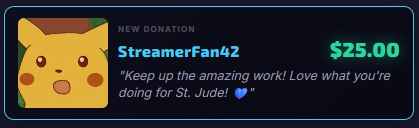
- Add as a Browser Source in OBS at 1920×1080px
- Place it as the topmost layer in your scene — background is transparent
- Use the Alert Builder below to customise appearance and thresholds
Web-based configurator — customise your donation alert and generate a URL
Open in browser — not an OBS source
Real-time per-streamer donation tracker — designed to keep open during your stream
Open in browser — not an OBS source
- Open in a browser tab on a second monitor or phone while you stream
- Select your name from the dropdown to filter to your donations only
- Shows your amount raised, goal progress, unique donor count, and total donations
Slide Image Generator
Select your name and choose a layout to preview your personalised streamer card. Download it as a PNG to share on social media or use as a stream graphic.
Select your name above to preview your slide.